
Free · no login · about a minute
See your Instagram grid's glow-up
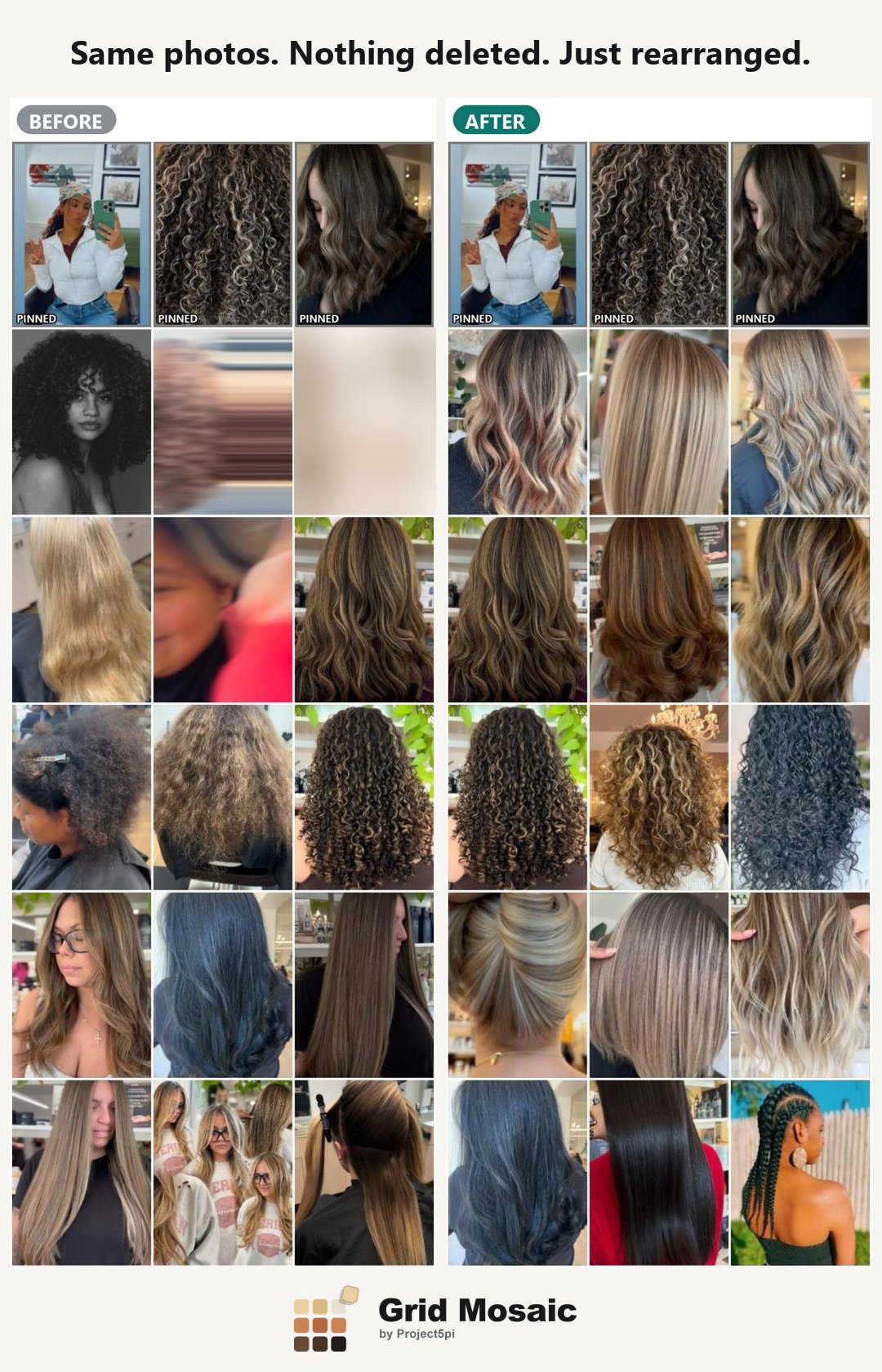
Instagram now lets you rearrange your posts. Upload a few screenshots of your profile and we'll show you your own grid, redesigned with the photos you already posted. Nothing deleted, nothing reposted.
- Open your Instagram profile and scroll so the grid fills the screen.
- Take 2 or 3 screenshots, scrolling down a little each time. Overlap is fine.
- Upload them here. Your photos stay on your phone; nothing is sent to us.
Step 2 of 3
Pick your new look
Keep a post out of your top rows?
Tap flyers, price lists, promos or anything you don't want up top. The looks above update. We've already marked posts that look like text.
Check: is this my grid in the right order?
If rows are missing or out of order, take the screenshots again a little more overlapped and upload them again.
Step 3 of 3
Where should we send it?
Get your full before and after plus the step-by-step quick plan: about 12 drags you can finish in ten minutes.
Your quick plan
Your grid, redesigned
Top rows of your grid. Tap Before to compare.
Do it in 12 drags
- Open your Instagram profile.
- Press and hold any post, then tap Reorder grid.
- Follow the steps below one at a time, then tap Done in Instagram.
Every spot has a number. Count left to right, row by row, from the top.
See all steps as a list
Want the whole grid done, plus more clients from Google?
The quick plan fixes your top rows. The full plan redesigns your whole grid ( drags), and we set up the rest:
- Your full step-by-step grid plan
- Your Google business listing set up or fixed
- A one-page website with your booking link
- A ready-to-send text that asks clients for reviews
usually $350 $79